The Unpredictable SDR
Once you press the HDR button, Lightroom enters the HDR workflow, a way of grading that differs a lot from the old SDR one, both in the tools, the internal colour management and the feel of grading. Ideally the image would also be output in an HDR format and viewed on an HDR screen, forming a complete HDR pipeline.
But photos always get viewed in all sorts of places, and because of compatibility issues most of them will probably still be shown as SDR. At that point the viewing experience becomes unknown and unpredictable, mainly because of two factors:
- Does the image contain enough SDR information? For example, a gain map directly contains a complete SDR image, so devices that do not support HDR can simply view that version. Or the image carries metadata through ICC and similar means that explains how to tone map down from HDR to SDR, helping the device obtain an SDR version.
- If the image carries no SDR information, or the device does not support that information, is the device capable of converting the image to SDR on its own and playing it back, or does it play it back wrongly with no management at all?
Because of these two factors, the experience of playing HDR produced images in an SDR environment is hard to predict. The safest approach is the gain map, which directly delivers a complete SDR version. The various options that Lightroom offers also support this view to some extent. For example, choosing HDR JPEG on export outputs a dual-layer JPEG following the ISO 21496-1 standard (JPEG only supports this one HDR method), or choosing HDR AVIF (maximum compatibility) also outputs as a gain map.
The new question is: where does the SDR that the gain map needs come from?
Photographers focus on HDR when they post-process, and the SDR version is usually calculated automatically by Lightroom. But that SDR version does not look very good. The algorithm Adobe uses brightens part of the shadows and compresses the highlights heavily, making the SDR version lose contrast in a strange way. It often drifts away from what the photographer intended with the HDR grade, and quite often it is even worse than clipping or a simple roll-off.
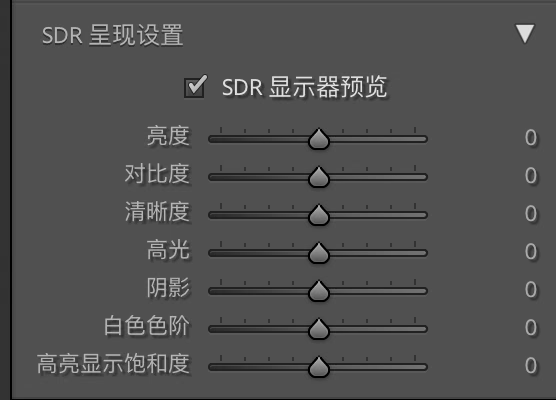
Click the checkbox to see the SDR result that Lightroom generates. This SDR result is also affected to some extent by the grading tools used, for example perceptual colour. Lightroom offers a few sliders specifically for controlling the SDR version, but what you can adjust is very limited.
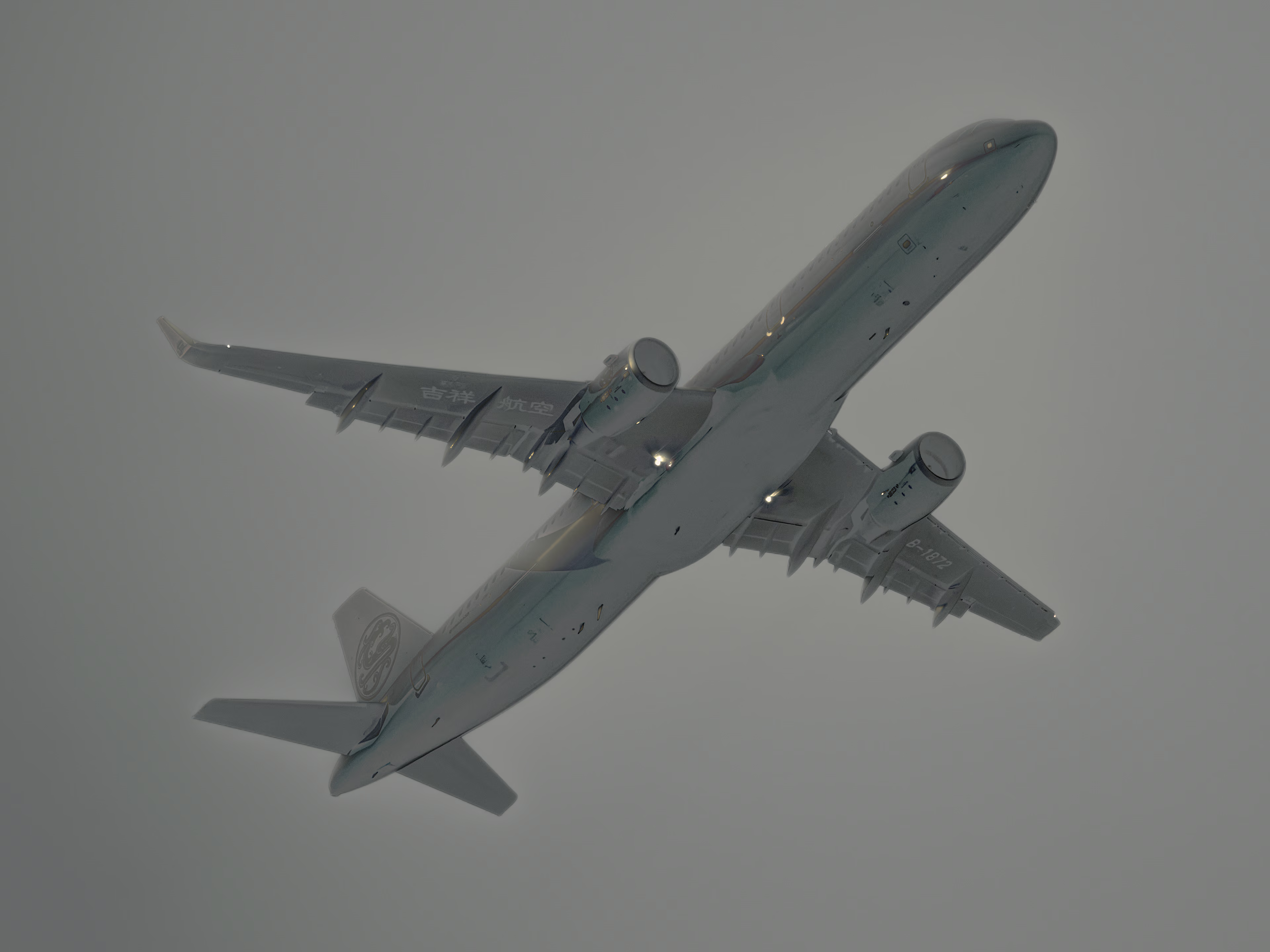
This is the example used in this article. This Juneyao Air A320 with the “Eastern Gem” livery is taking off from Shenzhen Bao’an Airport, operating flight HO 1886 to Shanghai. The image was post-processed in the HDR workflow.
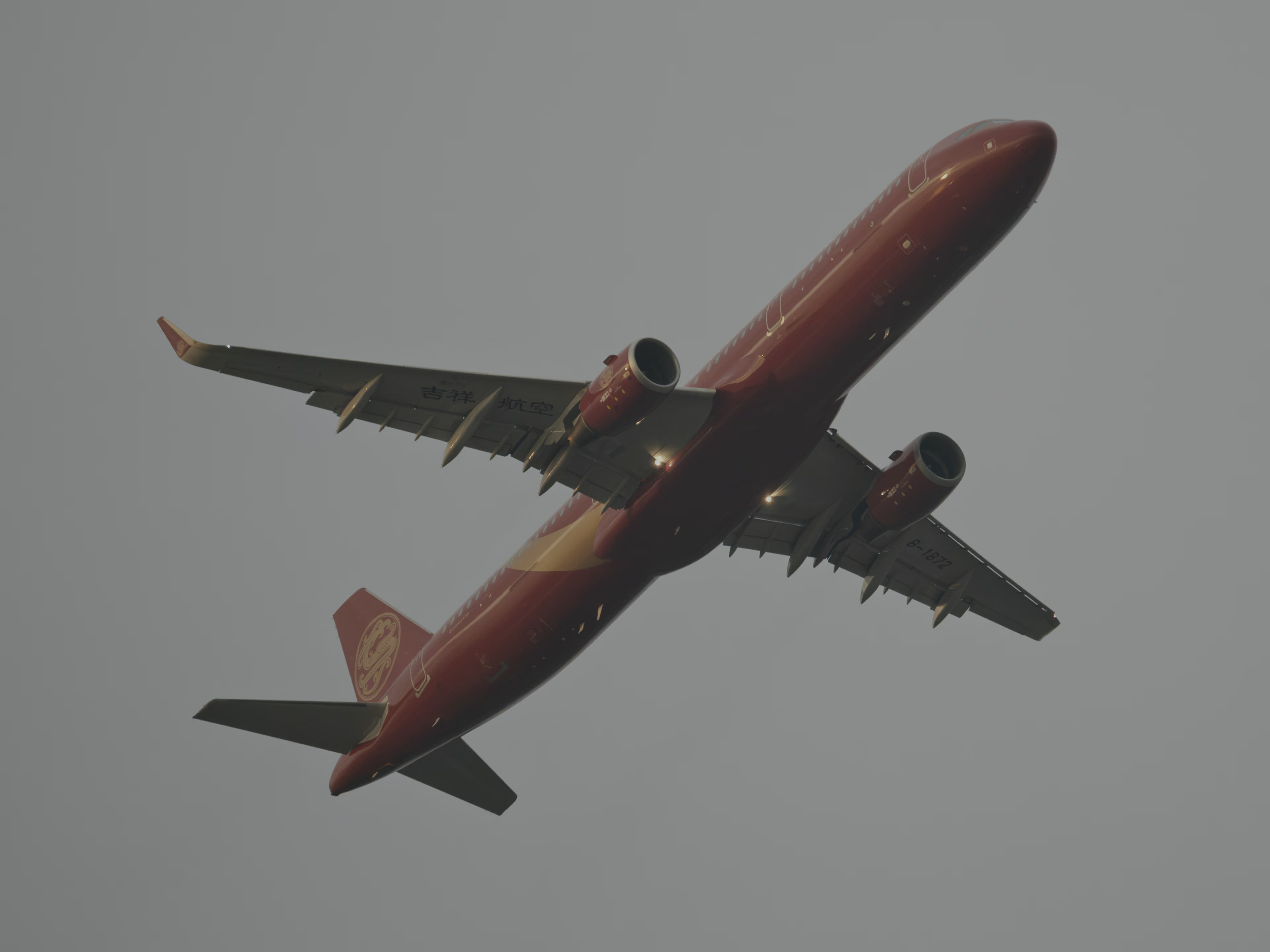
The image actually has only a few specular reflections on the fuselage and a few fuselage lights that really exceed the nominal SDR brightness and need HDR to encode. If the pixels that exceed SDR brightness are clipped to white, you get an SDR image that looks like the figure below.
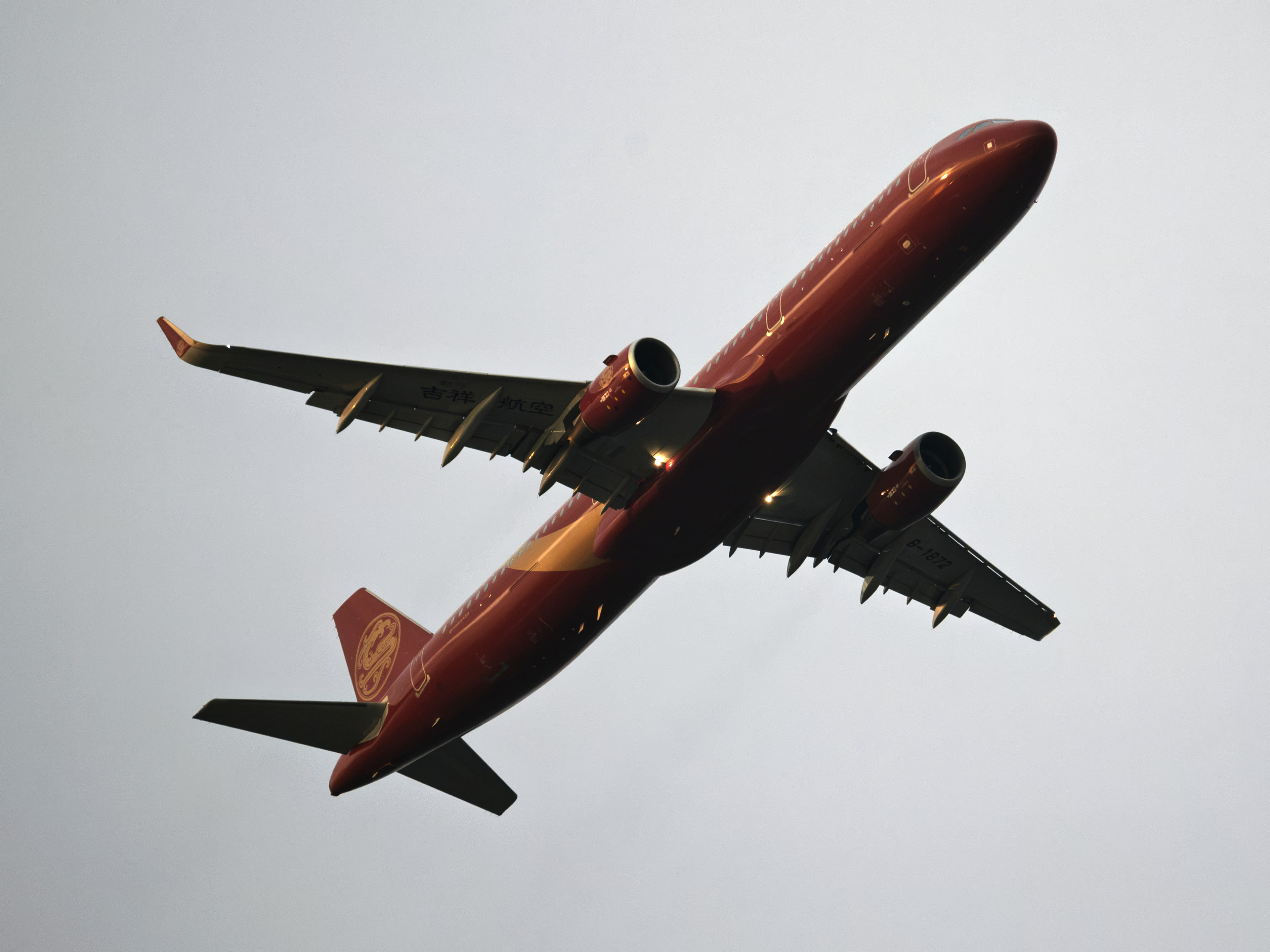
Because the sky background also slightly exceeds SDR, the sky colour shifts a little, but overall it is very close to the HDR version. The SDR that Lightroom generates automatically, on the other hand, changes a lot.
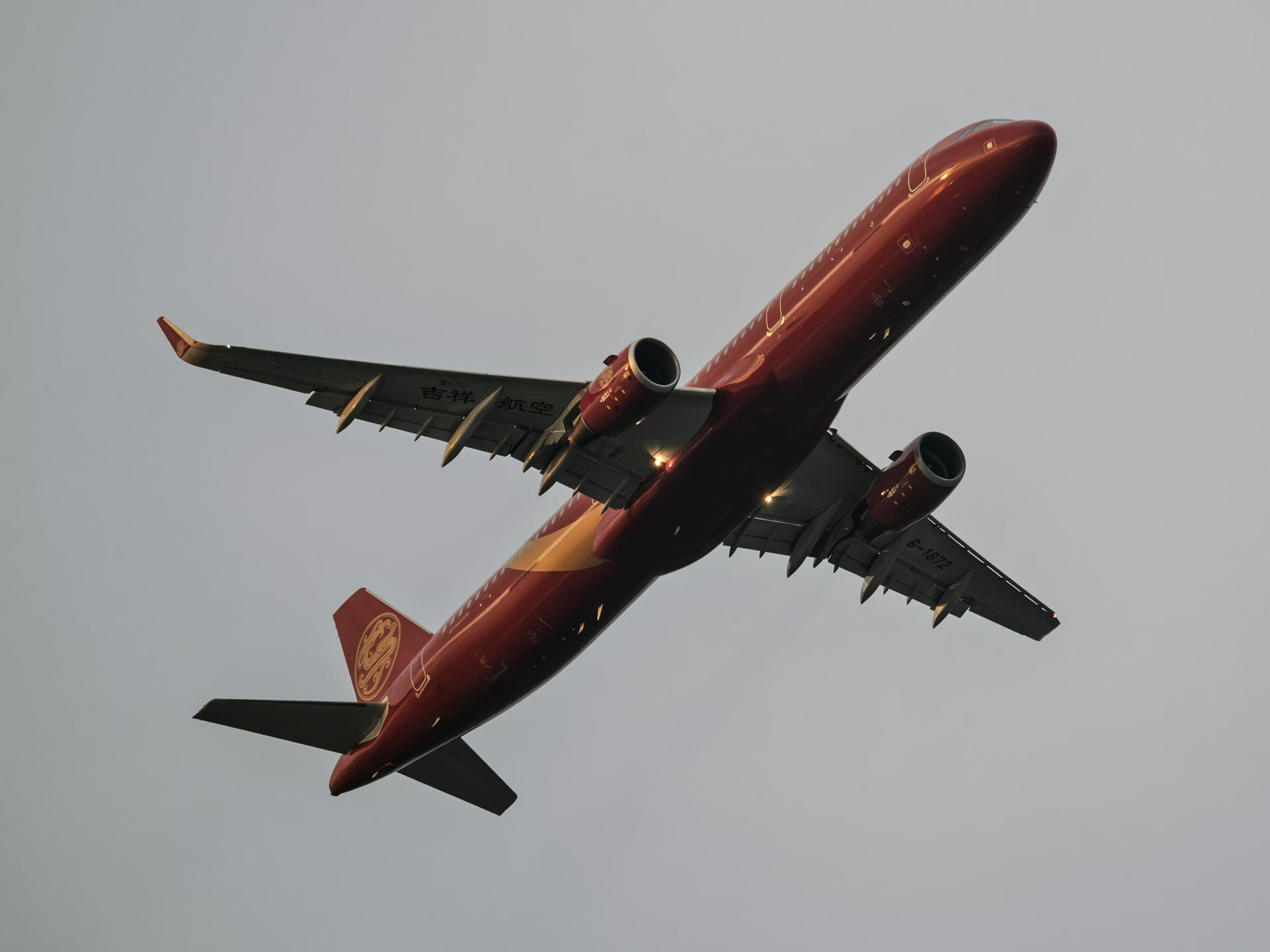
Not only is the overall brightness lower, but key areas such as the shadows and the sky have been brightened or darkened. This makes it possibly worse than the clipped version in some visual respects. This is also why handing such an output file to other people often gets very negative feedback: they are looking at an SDR image that the photographer never reviewed or adjusted, and that may be of low quality.
Replacing the Baseline
Since Lightroom does not provide enough tools to work on the SDR version within the HDR workflow, sometimes I create a duplicate, grade the SDR image specifically, and then distribute the two separately. The gain map format happens to allow regenerating a new gain map from the HDR image and a specified SDR image and re-encoding, producing a file whose HDR effect is unchanged while the SDR layer is replaced with the ideal result.
This operation fully conforms to how ISO 21496-1 is meant to be used, so HDR-Conversion or other tools can do it easily.
Some details could be better:
HDR-Conversion has to decode first and then encode when doing this task. For JPEG, repeated encoding and decoding degrades image quality and accumulates error. In the task of replacing the baseline, you only need to decode the baseline and gain map of the original image to obtain HDR, then compute the new gain map and encode, without decoding and re-encoding the new baseline.
With some functions designed for internal use in the library, you can replace the baseline bytes directly. Since those internal functions are not guaranteed to stay the same in future versions, it is best to pin version 0.1.6. A vibe coded script is available here (AI code can be wrong, and correctness is not guaranteed).
When no target SDR is passed in, clipping is used to create the new SDR.
Take the earlier example. The original gain map looks like this:
You can see that it operates on a large number of pixels that were already within SDR brightness.
The new gain map, on the other hand, only operates on the bright pixels:
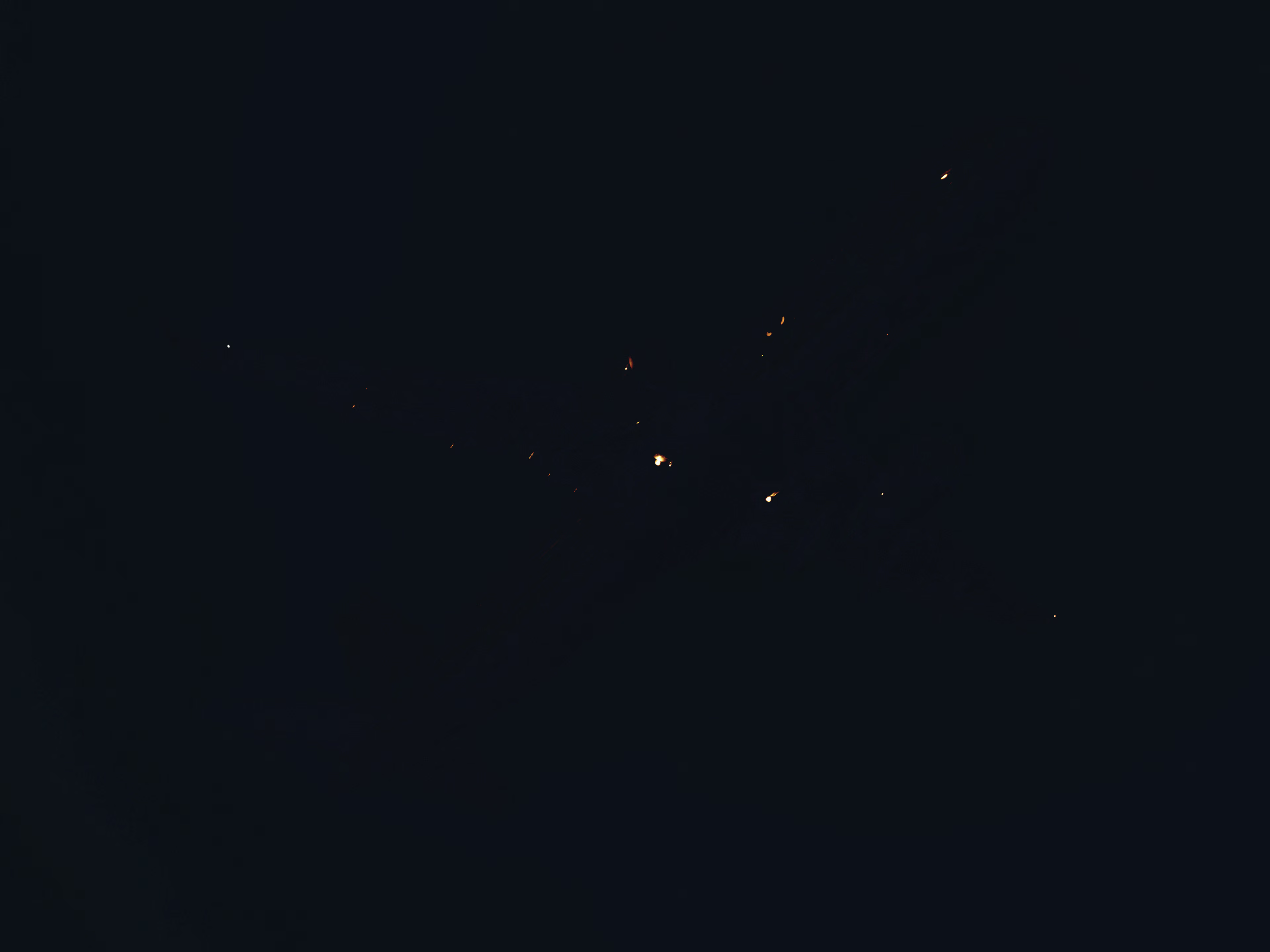
The new baseline and the new gain map produce the same alternate as before, so the HDR effect does not change.
Thinking About the HDR Workflow
After going HDR you gain more room to work and potentially better visuals, and what you lose is compatibility with other devices. The consequence of that loss is that you cannot predict how the image will look on those devices, which is uncomfortable for a photographer. You are perfectly happy with what you see, yet you have no idea what others might be seeing.
Even if you remake the SDR version following the process above, the workload at least doubles. And it is hard to guarantee the display result on HDR devices whose capability sits between SDR and the photographer’s own HDR device.
In the end, there is no reliable and stable method for tone mapping down, and perhaps such a method cannot exist, because everyone has a different idea of what SDR should correspond to a given HDR. Even the same photographer grading twice may get different results.
Compared with regrading entirely, tweaking on top of the down-conversion is clearly an easier approach, such as the sliders Lightroom provides. Dolby Vision also offers this kind of operation, through a mechanism called Trim that lets creators fine tune the effect of the down-conversion, though it is a paid feature.
So I have thought about it over and over for my own photos: should I switch to the HDR workflow?
At least for now, I think most images are better left in SDR:
- I can keep using most of my grading software and tools (they do not support HDR yet)
- I do not need to worry about wildly inconsistent results between devices
- The feel of grading in Lightroom’s HDR mode is poor (as if there were no DRT at all)
- Most images do not gain visual benefits that match the effort once they enter HDR mode
I hope that one day there will be a robust and reliable down-conversion algorithm, or even a revolutionary new HDR format or workflow, to solve these problems.